

Sound that lands exactly on cue.
Play music, effects and voiceover from one cue list. Fire each cue with a tap, a button or your watch, and let iQ Pro handle the fades.
What you can do
Everything audio needs, in one app.
One-tap cues
Advance through your running order with a single tap, so you can keep your eyes on the audience.
Crossfades and fade-outs
Drop a transition between cues and the handover is smooth every time.
Volume you can draw
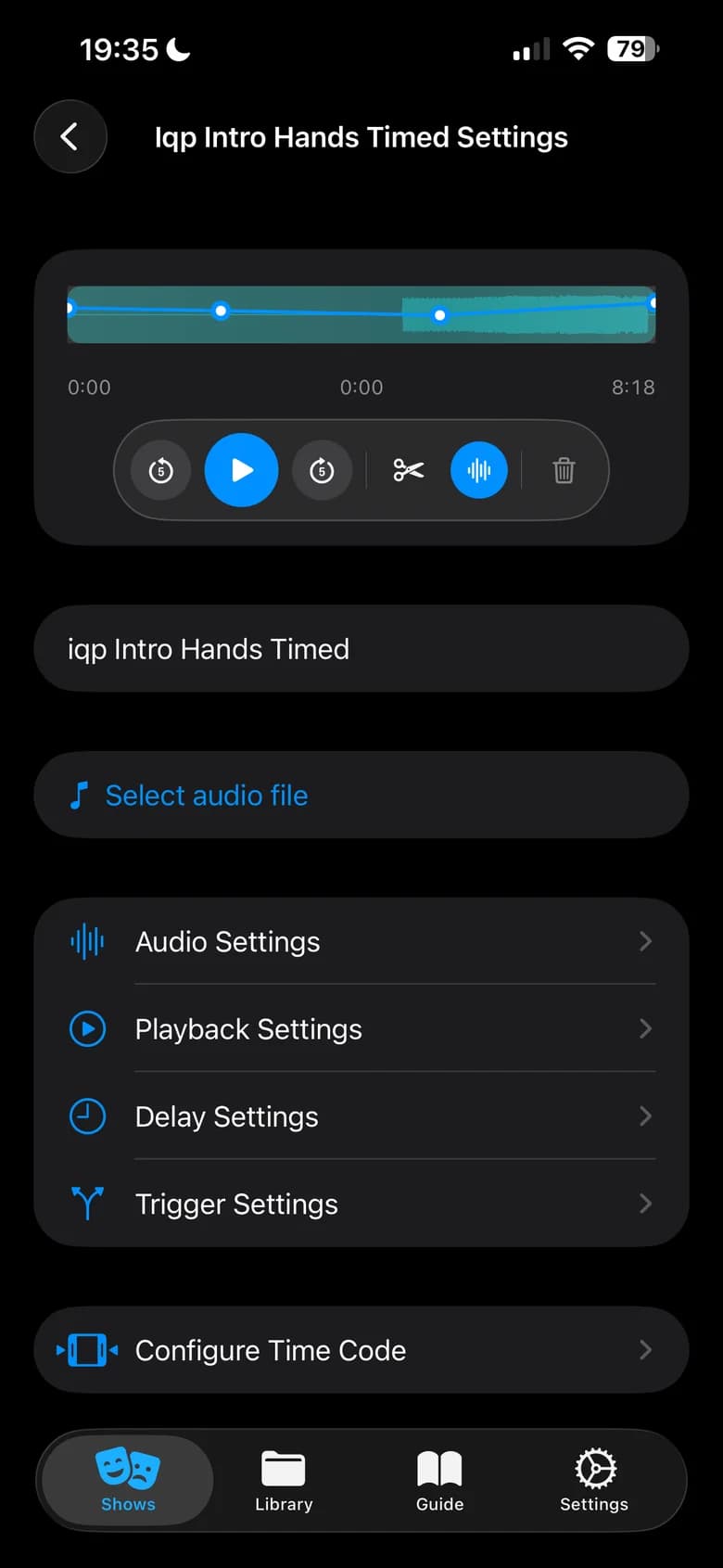
Shape the level at exact points in a track. Duck the music under your voice, then bring it back up.
Trim without risk
Cut the start and end of any track. Your original file is never changed.
How it works
Three steps from idea to showtime.
- 01
Add an audio cue
Choose Audio from the Add Cue sheet and pick a file from your library.
- 02
Shape the sound
Trim the track and draw volume changes on the waveform.
- 03
Fire it live
Trigger it from the screen, a Flic button, an Apple Watch or any remote you like.
Keep exploring
More that iQ Pro can do.

Automation and lighting
Send MIDI and OSC, fire lighting scenes and trigger actions on a timecode. iQ Pro can drive the rest of your rig from the same cue list.

Groups and shows
Each group is a routine, a scene or a set. Drag them into order, start from any point and keep every show tidy.

Video
Play video and images straight from your phone to any screen or projector. Size and place them exactly where you want them.
Automation and lighting
Send MIDI and OSC, fire lighting scenes and trigger actions on a timecode. iQ Pro can drive the rest of your rig from the same cue list.
Groups and shows
Each group is a routine, a scene or a set. Drag them into order, start from any point and keep every show tidy.
Video
Play video and images straight from your phone to any screen or projector. Size and place them exactly where you want them.
Take control of your next show.
Download iQ Pro and run your first cue in minutes.
