

Organise the show the way you think.
Each group is a routine, a scene or a set. Drag them into order, start from any point and keep every show tidy.
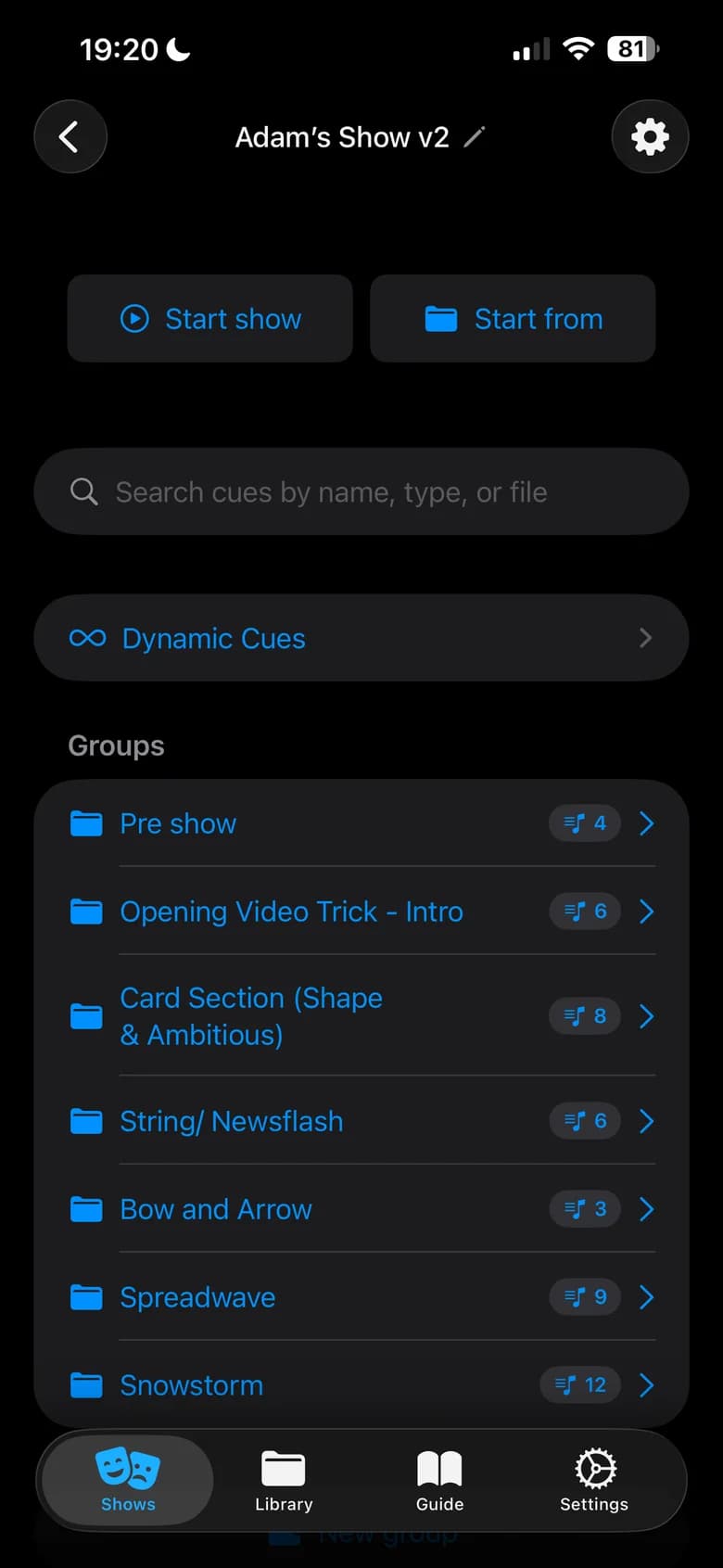
What you can do
Everything groups and shows needs, in one app.
Drag to reorder
Change the running order in seconds, even the night before.
Search every cue
Find a cue by name, type or file, without scrolling through the whole show.
Start from anywhere
Skip straight to any group when you need to restart or rehearse a section.
Shows and folders
Keep every client, set or event in its own folder and import or export shows when you need to.
How it works
Three steps from idea to showtime.
- 01
Create a show
Start a new show or open one you have already made.
- 02
Add groups
Make a group for each routine or scene and fill it with cues.
- 03
Run it
Start the show, or start from any group.
Keep exploring
More that iQ Pro can do.

Audio
Play music, effects and voiceover from one cue list. Fire each cue with a tap, a button or your watch, and let iQ Pro handle the fades.

Automation and lighting
Send MIDI and OSC, fire lighting scenes and trigger actions on a timecode. iQ Pro can drive the rest of your rig from the same cue list.

Slides
Build birthday, corporate and event slides with the built-in editor. Change the name, walk on stage and shine.
Audio
Play music, effects and voiceover from one cue list. Fire each cue with a tap, a button or your watch, and let iQ Pro handle the fades.
Automation and lighting
Send MIDI and OSC, fire lighting scenes and trigger actions on a timecode. iQ Pro can drive the rest of your rig from the same cue list.
Slides
Build birthday, corporate and event slides with the built-in editor. Change the name, walk on stage and shine.
Take control of your next show.
Download iQ Pro and run your first cue in minutes.
