
Any element on a slide can have two animations, built from keyframes: snapshots of where the element is, how big, how rotated, how see-through and how blurred. iQ Pro moves smoothly from one keyframe to the next.
- Intro Animation plays once, when the slide appears. Use it to bring in a title.
- Looping Animation repeats for as long as the slide is on screen, starting after the intro. Use it for a slow pulse or drift.
Build an intro
- 1
Select the element, then tap Keyframes (Build intro and looping animations) at the bottom of Element Settings. Each animation shows how many stops it has and how long it lasts, or Not configured.
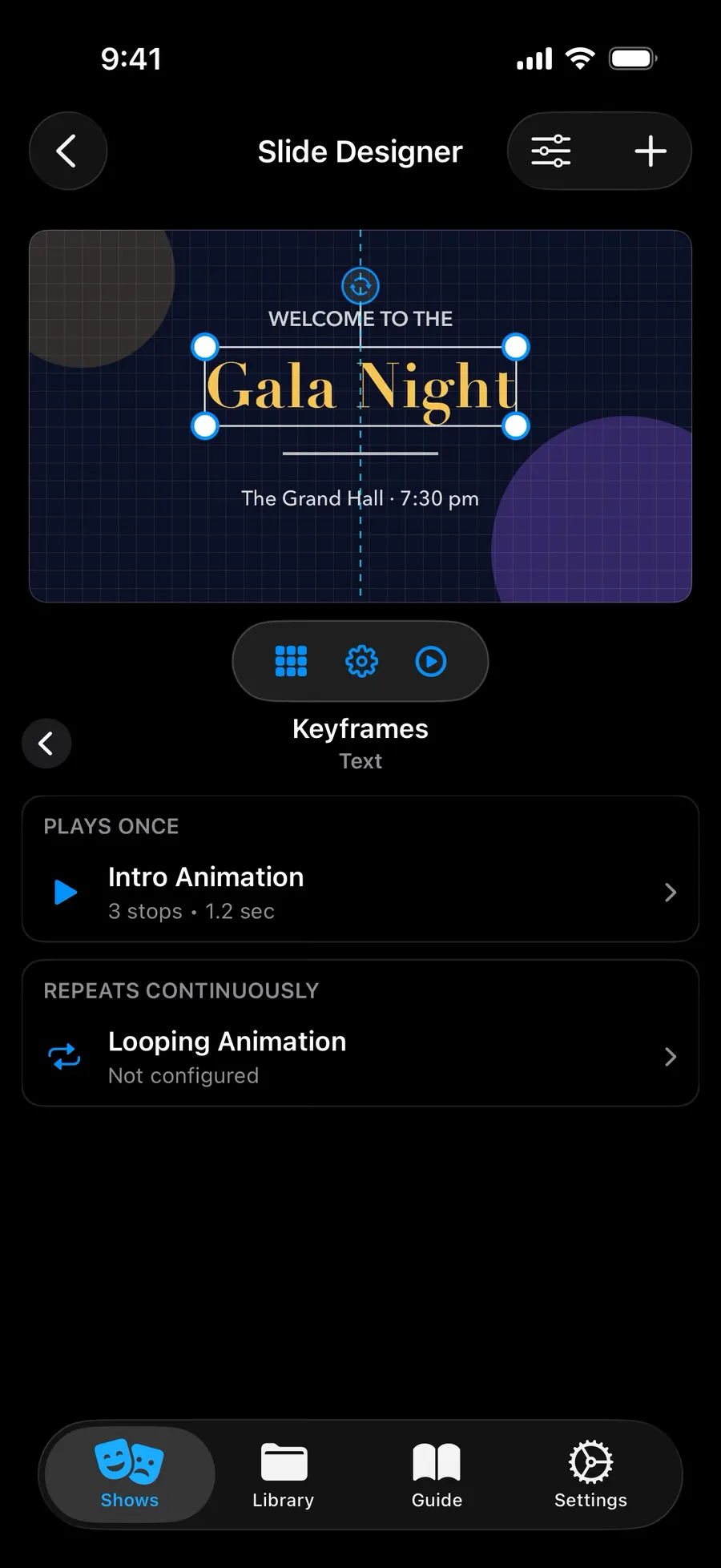
The title has a three-stop intro; it doesn't loop - 2
Tap Intro Animation.
- 3
Set the Duration, from 0.1 to 30 seconds.
- 4
Tap + to add a keyframe. It captures the element as it is now. Add one for each stop you need, up to 24. Stops adds or removes several at once and spaces them evenly.
- 5
Tap a keyframe to edit it. Under Timing, drag Stop to choose when it happens. Under Transform, set Horizontal, Vertical, Scale, Rotation, Opacity and Blur, or drag and resize the element on the canvas.
- 6
Tap the back arrow to keep the changes. To remove a keyframe, open it and tap the bin.
Build a loop
Tap Looping Animation and build it the same way. For a seamless loop, make the last keyframe match the first. The countdown slide's glow does this: it grows and brightens, then returns to where it started over four seconds.
Preview it
Tap the play button in the capsule under the canvas:
- Replay Intro plays the selected element's intro.
- Play Loop starts its loop. Tap the orange stop button to end the preview.
Both need the element selected and the animation set up; otherwise they're dimmed.
On the output, every element's animations start together when the slide appears.
