
Settings › Voice & Speech is where you set up the voices iQ Pro speaks with. The voice you choose here is used when you read a guide aloud, and it's where new voice-over cues start.
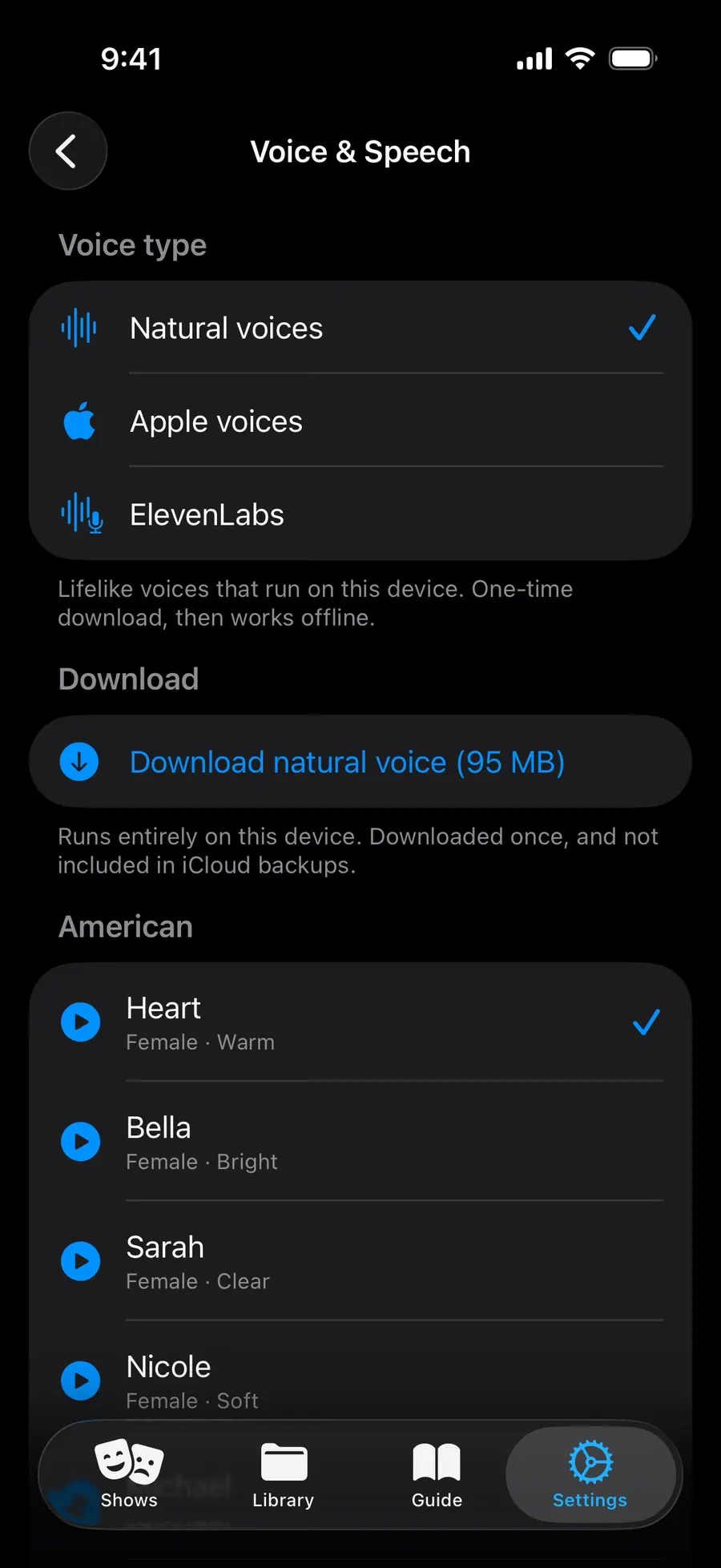
Choose a voice type
Voice type has three options:
- Natural voices are lifelike voices that run entirely on your device. They need a one-time download, then work with no internet connection. Choose from American and British voices.
- Apple voices are the voices built into iOS. There's nothing to download. To add higher-quality voices, open the iOS Settings app and go to Accessibility › Read & Speak › Voices. They then appear here under Enhanced or Premium.
- ElevenLabs voices are studio quality, and include voices you've cloned or designed in your ElevenLabs account. They need an ElevenLabs account and an internet connection to generate speech.
Pick a voice and speed
Tap the play button beside a voice to hear a sample, and tap the voice to use it. Some natural voices download a small extra file the first time you pick them.
Under Playback, drag Speed to speak faster or slower, and tap Play a sample to hear the result.
Connect ElevenLabs
- 1
Under Voice type, tap ElevenLabs.
- 2
Paste your API key and tap Connect. Tap Get a key to find it in your ElevenLabs account.
- 3
Your voices appear under My voices and ElevenLabs voices. Tap one to use it.
Once you're connected, Credits left shows how much of your plan you've used this month. Tap Refresh voices after you add a voice in ElevenLabs. Disconnect removes the key. Voice-overs you've already made keep playing.
Your API key is stored only on this device, in the Keychain.
Free up space
The natural voice uses about 95 MB. Storage used shows the exact amount. To remove it, tap Delete download. Apple voices still work, and you can download the natural voice again at any time. The download isn't included in iCloud backups.
Open Voice & Speech in iQ Pro