
Exporting packs a show into a single .iqpro file: its groups, cues and settings, plus every piece of media, slide and font it uses. Use it to back up a show, move it to another iPhone or iPad, or send it to a colleague.
Export a show
- 1
On the Shows tab, touch and hold the show.
- 2
Tap Export show.
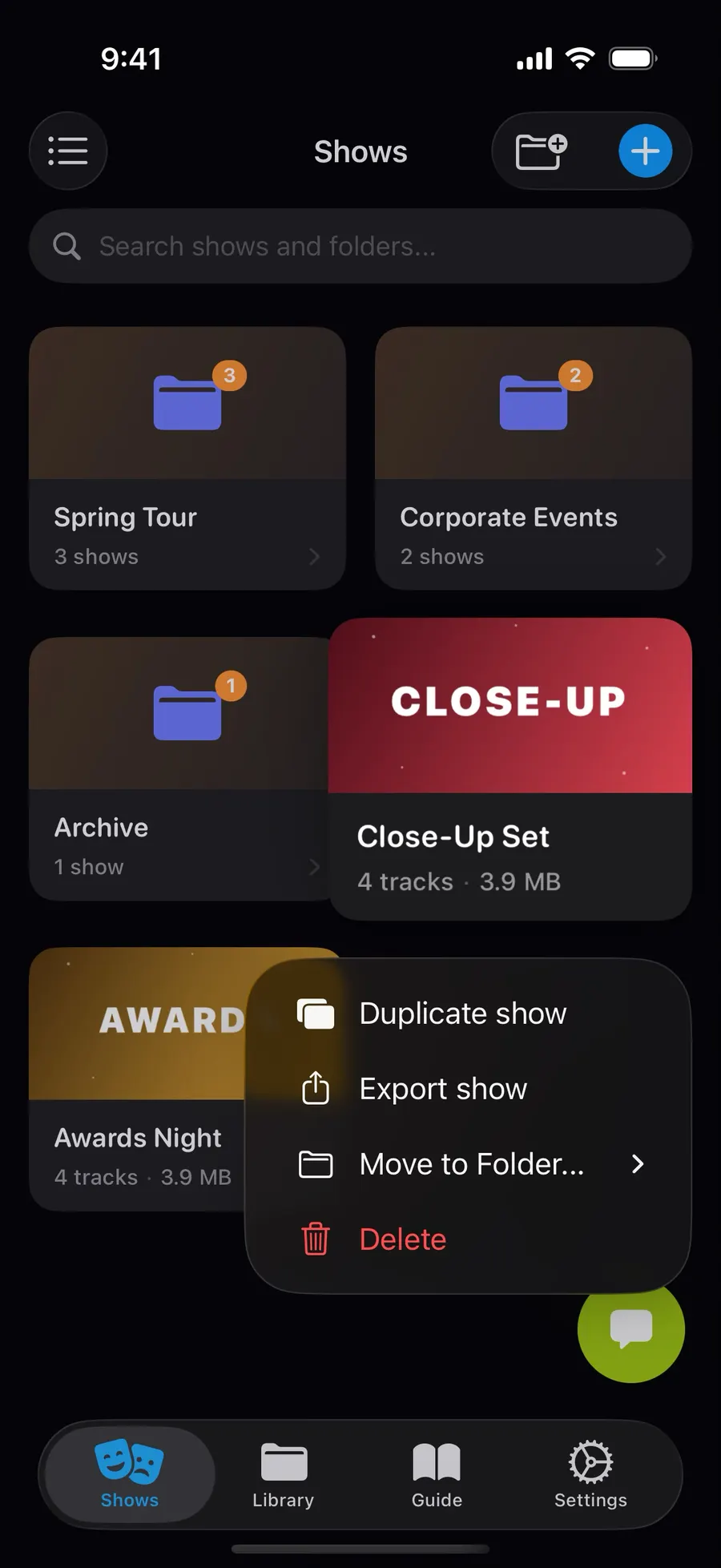
Export show packs the show and its media - 3
iQ Pro shows Exporting show... while it builds the file. This may take a few minutes for a show with lots of video.
- 4
When it's ready, choose where to save it in Files, such as iCloud Drive or a folder on your device.
The file is named after the show.
Send it to someone
Save the file to Files, then share it from there: touch and hold the file and tap Share to send it by AirDrop, Mail or Messages. On the other device, open the file with iQ Pro. See Import a show.
Open your shows in iQ Pro