
A show archive is a single .iqpro file with everything in a show: its groups, cues and settings, plus the media, slides and fonts it uses. Import one to move a show from another device, or to run a show someone has built for you.
Import from Files
- 1
On the Shows tab, tap +.
- 2
Tap Import show.
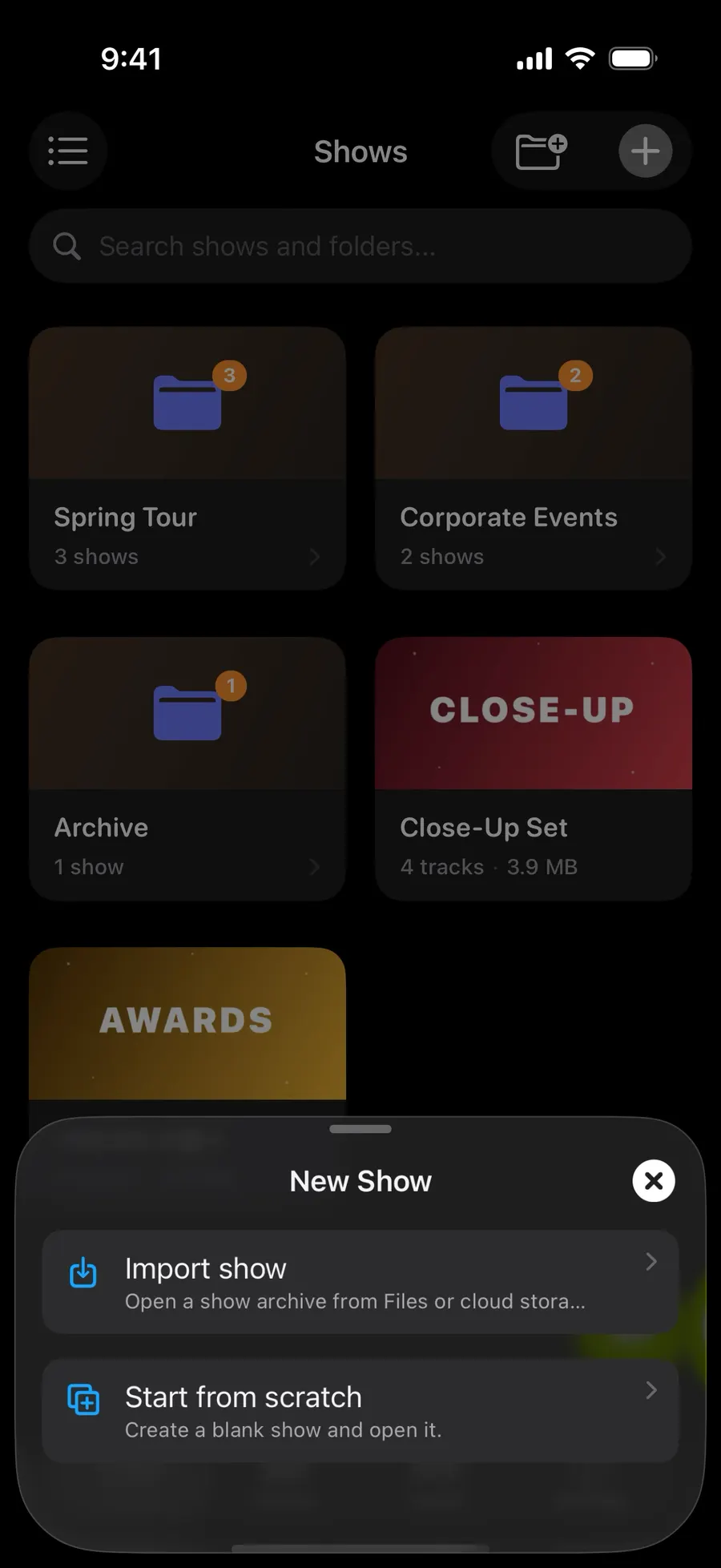
Open a show archive from Files or cloud storage - 3
Find the
.iqprofile in Files. It can be on your device, in iCloud Drive or in another cloud storage app.
iQ Pro shows Importing Show with its progress. When it's done, it tells you the show was imported successfully, and the show appears on the Shows tab.
Import from AirDrop, Mail or Messages
Tap the .iqpro file, then open it with iQ Pro. The import starts on its own.
Install from a link
Sometimes a show is shared as an install link. Tap the link on your iPhone or iPad: iQ Pro opens, shows Installing show while it downloads, and tells you when it's ready.
Import a show in iQ Pro