
A delay makes a cue wait before it starts. Fire the cue and it starts a set time later: a reveal that lands a beat after the drumroll stops, or music that comes in a few seconds after you walk off.
Set a delay
- 1
Open the group and tap the cue.
- 2
Tap Delay Settings.
- 3
Turn on Enable Delay.
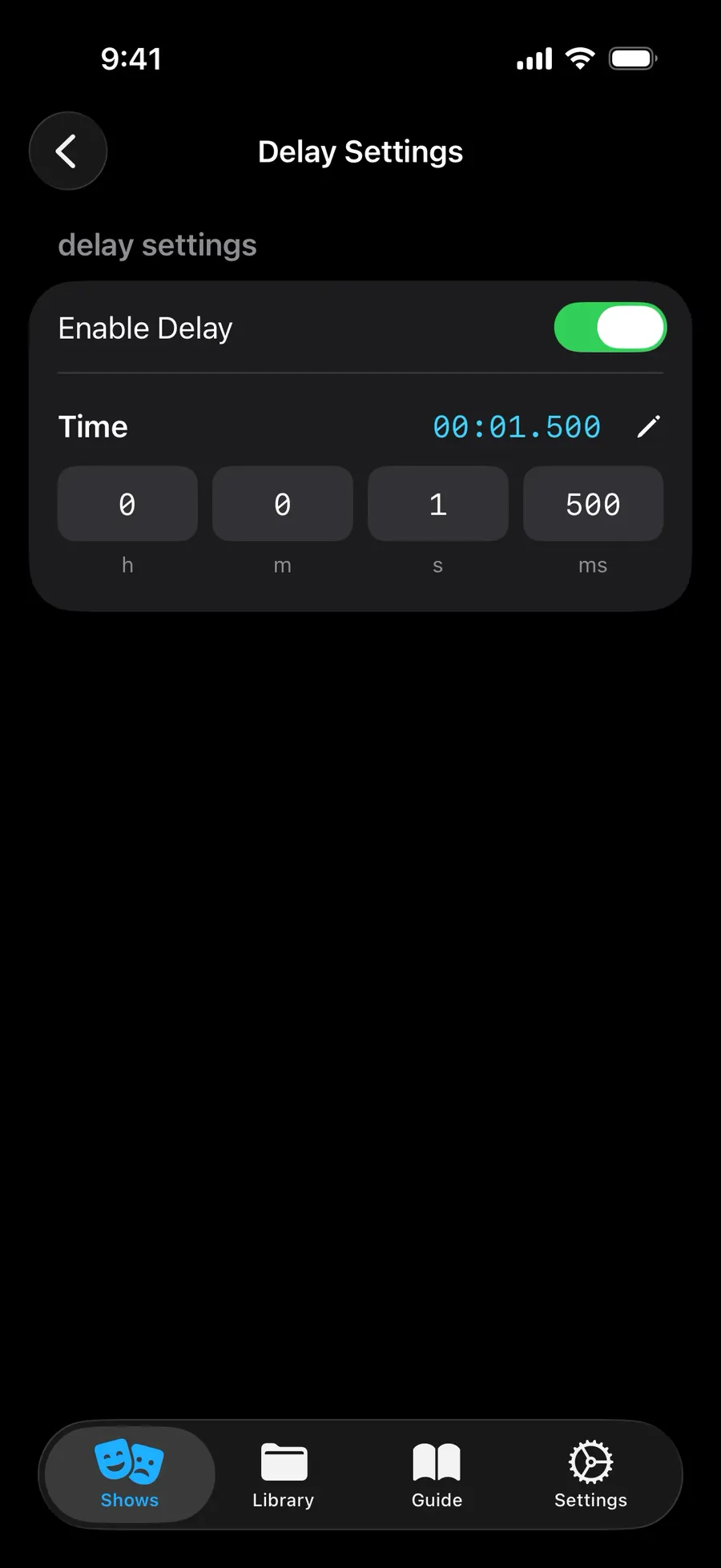
A 1.5-second delay - 4
Set the Time: type into the h, m, s and ms boxes, or tap the pencil to pick hours, minutes, seconds and milliseconds from wheels.
To remove the delay, turn Enable Delay off.
See delays in the group
A cue with a delay shows a clock, with its delay in seconds, in the group.
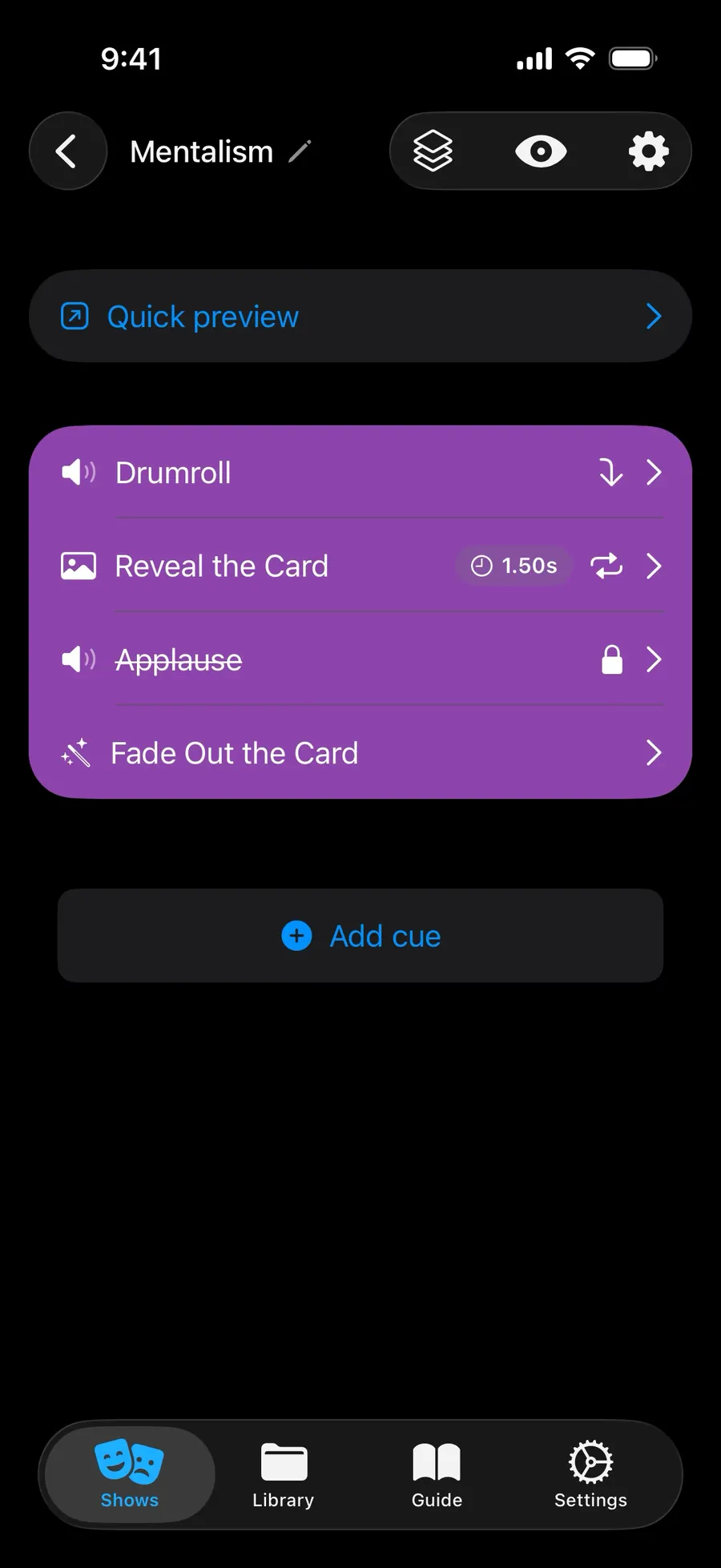
If you'd rather just see the clock, tap the eye at the top of the group and turn off Cue Delay.
